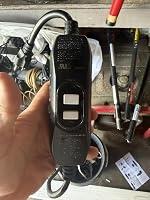
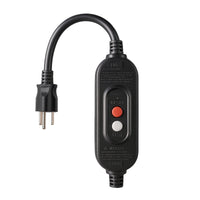
Kaper 15A Manual-Reset GFCI Replacement Plug (3-Prong)
Replace a compatible 3-wire equipment plug with manual-reset GFCI protection. Designed for applications where power should stay off until you deliberately press RESET.
Replace a compatible 3-wire equipment plug with manual-reset GFCI protection. Designed for applications where power should stay off until you deliberately press RESET.
Why choose manual reset?
- Deliberate restart: Press RESET to restore power after the GFCI trips.
- Compact separate plug: A smaller wall plug connects to the inline GFCI housing.
- Replace the plug: A replacement option for compatible equipment, without replacing the entire device.
- Easy function checks: Dedicated TEST and RESET buttons.
Specifications
| Reset type | Manual |
|---|---|
| Rated load | 15A · 120V · 1800W |
| Connection | 3-prong plug · compatible 3-wire equipment |
| Protection | Class A GFCI · rainproof housing |
| Controls | TEST / RESET |
Where it fits
Compatible pressure washers, saws, drills, vacuum cleaners and other tools where a deliberate restart is preferred.
Check your equipment rating, wiring and cord compatibility before choosing a replacement.
Before installation
- Disconnect equipment from power before working on the cord.
- Follow the included wiring and assembly instructions.
- Confirm the housing and strain relief are correctly secured.
- Test the GFCI before use. Consult a licensed electrician if unsure about compatibility or wiring.
Not sure this is the right one?
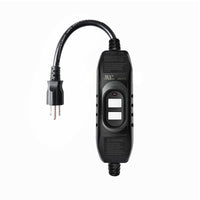
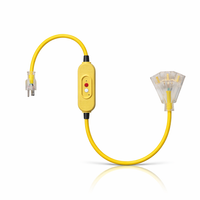
Four steps. Done.
Strain relief, back cover, grommets for 18/16/14 AWG cords and all screws are in the box.
- 1
Unplug and strip
Unplug the cord from the wall. Cut off the dead plug. Strip the outer jacket back 21–22 mm, then each wire 8–9 mm.
- 2
Match wire to terminal
BLK → brass WHT → silver GRN → green. Tighten each screw clockwise.
- 3
Clamp and close
Tighten the strain-relief clamp over the outer jacket and close the housing so the gasket seals.
- 4
Test before use
Plug in → light on. Press TEST → power cuts. Press RESET → power back.
Good to know.
Auto reset or manual reset — what's the difference?
How do I test it?
Shipping and returns?
Always follow the included instructions and local electrical codes. Unplug equipment before installing. If you're not comfortable working with electrical wiring, consult a licensed electrician.